Connect what you already wrote to the AI's memory
Publishing a help article also trains the agent, with the same text.
Knowledge base documents how to upload a file or write a manual source by hand so the agent can cite it. This recipe solves a different problem. What to do when that content already exists somewhere else in the workspace, and how to confirm the agent actually uses it.
Trap
Publishing a help article already trains the agent, with no extra step
The help center and the agent's knowledge base share the same text. When an article moves to published, it becomes available to the agent's search, with no separate endpoint to call. Step 2 shows it.
Before you start
help_centers:writeto create and publish articles.ai_agents:writeto assignknowledge_tagsto the agent.- An existing help center, or create one with
POST /help-centers(Publish your help center).
1. Write where the customer already reads it
If the content is already being written for the self-serve portal, that is the place for it. There is no need to also upload it as a file:
curl -X POST https://api.vitrinadev.com/api/v1/help-centers/b0630282-68e1-4219-ae91-c3f3e9ae6cce/articles \
  -H "Authorization: Bearer $VITRINA_KEY" \
  -H "Content-Type: application/json" \
  -d '{
    "slug": "business-hours",
    "translation": {
      "locale": "en",
      "title": "Business hours",
      "body_markdown": "We are open Monday to Friday, 9:00 to 19:00. On Saturdays we open from 10:00 to 14:00."
    }
  }'
The article is born internal. Nobody outside sees it, and neither does the agent, until it is published.
2. Publish, and watch the knowledge source get born
curl -X POST https://api.vitrinadev.com/api/v1/help-centers/b0630282-68e1-4219-ae91-c3f3e9ae6cce/articles/0bee0c9b-d029-449a-a9e1-d82eefbfdc9c/publish \
  -H "Authorization: Bearer $VITRINA_KEY"
{ "data": { "status": "published", "published_at": "2026-09-23T11:46:48.556Z" } }GET /kb/sources/{id} confirms the sync already started, with no other call in between:
curl https://api.vitrinadev.com/api/v1/kb/sources/01a0ce16-fe8b-7690-aa19-b188b500db0c \
  -H "Authorization: Bearer $VITRINA_KEY"
{
"data": {
"status": "pending",
"tags": ["kb_help_center", "kb_help_center_receta-c-ayuda", "kb_es"],
"help_center_article_id": "0bee0c9b-d029-449a-a9e1-d82eefbfdc9c",
"help_center_locale": "es",
"created_at": "2026-09-23T11:46:48.585939+00:00"
}
}created_at lands in the same second as the publish call above. No call of yours created that source. It is born on its own the moment the article goes live, with tags built from the center and the locale. status: "pending" is normal for a moment, while the article is processed.
When a published article gets edited again, every saved translation re-syncs that same source. To force a new sync by hand, use resync-kb:
curl -X POST https://api.vitrinadev.com/api/v1/help-centers/b0630282-68e1-4219-ae91-c3f3e9ae6cce/articles/0bee0c9b-d029-449a-a9e1-d82eefbfdc9c/resync-kb \
  -H "Authorization: Bearer $VITRINA_KEY"
{ "data": { "synced": ["en"], "failed": [] } }3. Connect the source to an agent
An agent does not search the whole workspace library. It cites only what matches its knowledge_tags, and sources coming from a help center carry the tag kb_help_center_<slug> seen above:
curl -X PUT https://api.vitrinadev.com/api/v1/ai-agents/c7a013c7-87e8-4892-9703-ec24c476600b/draft \
  -H "Authorization: Bearer $VITRINA_KEY" \
  -H "Content-Type: application/json" \
  -d '{ "knowledge_tags": ["kb_help_center_receta-c-ayuda"] }'
{ "data": { "draft_knowledge_tags": ["kb_help_center_receta-c-ayuda"], "draft_updated_at": "2026-09-23T11:48:35.568Z" } }It is saved in the draft. Configure the agent that talks explains the full publishing cycle.
4. When the content is born outside Vitrina
A file uploaded by hand, or generated from an existing URL, follows the other path, documented in Knowledge base: POST /kb-files, POST /kb-files/generate-from-url, and the batch crawl (crawl/start → crawl/{jobId}/generate). That family produces a kb_file. It attaches to an agent with POST /ai-agents/{id}/knowledge, not with knowledge_tags.
The rule for choosing between the two paths is simple. If the text already lives in the help center, or is going to, publishing it is enough. If it lives in a PDF, a spreadsheet or an external page nobody is turning into an article, upload the file.
When it fails
An unpublished article (archive) drops out of the agent's search in the same operation. There is no need to delete the source or touch the agent. A status: "pending" that never moves to synced after a while is usually not an article error. resync-kb retries the sync.
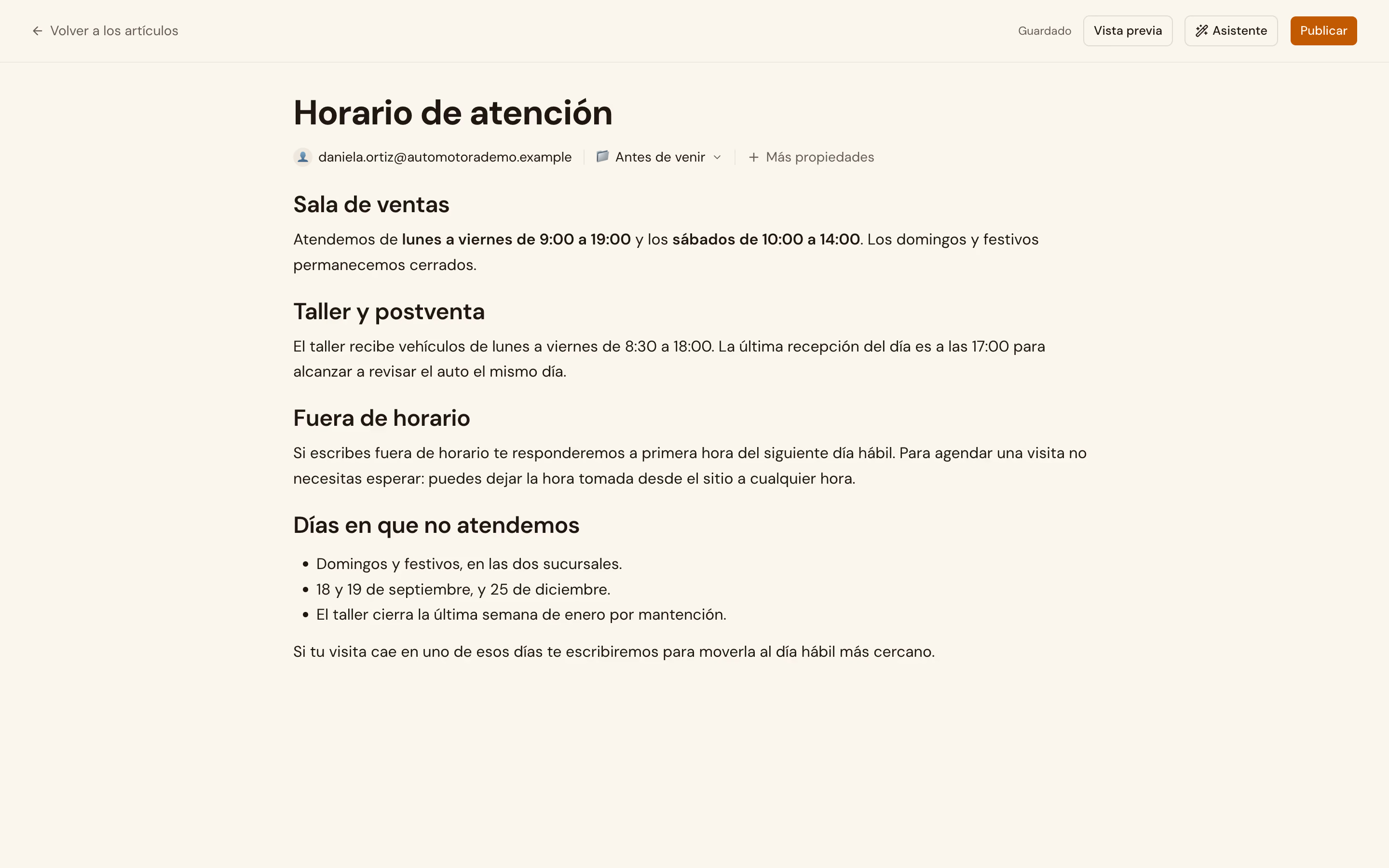
In the app: the agent's knowledge_tags picker is under Configuración → Agentes de IA. The article editor exists and works, but it has no menu entry today: it is beta and you reach it by URL, at /help-centers/articles.
Once the agent cites the right thing, Publish a new AI version only if it passes the exam takes it to production.